
Modern applications don't run on a single machine anymore. They are built from dozens of small, independent services, microservices, each packaged inside containers. Managing all those containers manually? That is where things break down fast.
Kubernetes, also known as K8s, is an open source container orchestration platform that automates deploying, scaling, and managing containerized applications. Think of it as the brain behind your containerized infrastructure, and when you pair it with a dedicated server, you get a combination that is hard to beat.
What Is Container Orchestration and Why Does It Matter?
Before diving into the how, let us understand the why. A container is a lightweight, portable unit that packages your application code along with its dependencies. Docker is the most common tool for creating containers. But one container running one app isn't enough for production. You need hundreds, sometimes thousands, running reliably across multiple machines.
Kubernetes automatically places containers based on their resource requirements and constraints, while not sacrificing availability. It mixes critical and best effort workloads to drive up utilization and save resources. In simple terms: Kubernetes decides where your containers run, how many should run, and what happens when one crashes all automatically.
93%
Of organizations are using or evaluating Kubernetes
80%
Run container orchestration in production environments
31%
Of backend developers use it regularly
01
Infrastructure Choice
Why Run Kubernetes on a Dedicated Server?
Most teams start with managed Kubernetes on cloud platforms like AWS EKS, Google GKE, or Azure AKS. They are easy to set up. But they come at a cost.
Every managed Kubernetes service runs on bare metal underneath. The control plane runs on physical hardware. Your worker nodes are either virtual machines renting slices of physical servers, or bare metal instances that remove the VM layer entirely.
So why pay the middleman? Running Kubernetes directly on a dedicated bare metal server gives you unparalleled control and efficiency.
No hypervisor overhead: Cloud VMs add a 5 to 15% CPU tax due to virtualization. Bare metal eliminates that entirely.
Predictable NVMe storage: You experience no I/O contention from shared neighbors.
Fixed monthly cost: Your bill doesn't spike when traffic spikes. Teams paying $800 or more per month for managed Kubernetes worker nodes typically recover that cost in the first billing cycle after migrating steady state workloads to bare metal.
Key Kubernetes Concepts You Need to Know
Understanding Kubernetes starts with its building blocks. Here are the core terms that work together:
Pod & Node
A Pod is the smallest deployable unit, wrapping containers that share network and storage. A Node is a physical machine (your dedicated server) that runs pods.
Cluster & Deployment
A Cluster is a group of nodes managed together. A Deployment is a blueprint telling the system how many copies of a pod to run and how to update them.
Service & Ingress
A Service exposes your pods to network traffic. Ingress routes external HTTP or HTTPS traffic to the right services inside your cluster.
kubectl
The command line tool you use to interact with and manage your entire Kubernetes cluster seamlessly.
02
Performance Automation
Scaling and Self Healing Features
Scaling is one of the superpowers of Kubernetes, and it works on multiple levels. You can scale your application up and down with a simple command, through a UI, or automatically based on CPU usage. The system can also automatically adjust resource requests and limits based on actual usage patterns.
There are three key autoscaling mechanisms:
- Horizontal Pod Autoscaler (HPA): Adds or removes pod replicas based on CPU or memory load.
- Vertical Pod Autoscaler (VPA): Adjusts the resource limits of individual pods automatically.
- Cluster Autoscaler: Adds or removes nodes from the cluster based on demand.
On a dedicated server, HPA and VPA work beautifully because you have guaranteed, consistent resources, no noisy neighbors stealing compute.
Self Healing: The Feature You Will Love Most
What happens when a container crashes at 3 AM? In a traditional setup, someone wakes up, logs in, and restarts it. With Kubernetes, the system restarts containers that crash, replaces entire pods where needed, reattaches storage in response to wider failures, and can integrate with node autoscalers to self heal even at the node level.
Self healing means your application recovers automatically, before users even notice something went wrong. This combination of liveness probes (is the container alive?) and readiness probes (is the container ready to serve traffic?) keeps your services resilient around the clock.
03
Deployment & Security
Getting Started and Best Practices
As GPUs become the default hardware paradigm, the traditional golden signals of Kubernetes, CPU usage and memory, are changing, with greater focus on GPU scheduling and workload allocation for AI and ML tasks. Dedicated servers with GPU nodes are becoming a preferred platform for teams running AI inference workloads alongside regular app containers.
A Simple Cluster Layout on Dedicated Servers
Here is a practical, production ready starting point:
| Role | Server Spec | Purpose |
|---|---|---|
| Control Plane | 64GB RAM, 8 core CPU | Manages cluster state via etcd |
| Worker Node 1 | 128GB RAM, NVMe SSD | Runs application pods |
| Worker Node 2 | 128GB RAM, NVMe SSD | Redundancy + load distribution |
A minimum of 3 control plane nodes is recommended for high availability. For smaller teams or staging environments, a single control plane works fine.
Security Best Practices
Security isn't automatic, it requires deliberate configuration. In many security breaches, the root cause isn't a platform flaw but a misconfiguration: overly permissive access, exposed dashboards, or unprotected secrets. Follow these fundamentals:
- Role Based Access Control: Define narrow permissions per namespace. Don't give cluster wide access unless absolutely necessary.
- Network Policies: Restrict which pods can talk to which services.
- Secrets Management: Never hardcode credentials. Use built in Secrets or tools like HashiCorp Vault.
- Image Scanning: Only deploy container images that have been scanned for known vulnerabilities.
- Namespace Isolation: Separate workloads by team or environment using namespaces.
As adoption matures, organizations move toward managing complex microservices architectures. This is where a service mesh like Istio or Linkerd comes in, handling encrypted service to service communication, traffic shaping, and distributed tracing. Think of Kubernetes as the foundation and a service mesh as the intelligent communication layer on top.
Ready to Orchestrate Your Future?
Kubernetes on dedicated servers is not just a technical choice, it's a strategic one. You get the full power of container orchestration: autoscaling, self healing, rolling deployments, and microservices management without the unpredictable costs or performance overhead of managed cloud platforms.
Whether you are running a SaaS product, an AI workload, or a high traffic ecommerce platform, the combination of Kubernetes and bare metal dedicated servers gives you a scalable, cost efficient, and production grade foundation for years to come.
Explore Dedicated Servers →Recent Topics for you

PCIe Gen 6 & CXL 3.1: Revolutionizing Server Architectures
Discover how PCIe Gen 6 and CXL 3.1 are breaking the memory wall. Explore composable infrastructure, tiered memory, and high bandwidth server architectures.

Why Your WooCommerce Store Needs a Dedicated Server
Is slow hosting killing WooCommerce conversions? Discover why a dedicated server offers the speed and uptime your store needs.

Why Liquid Cooling Is Mandatory for High-End Dedicated Server Racks
Discover why air cooling has hit its thermodynamic limit at 41.3 kW and how direct-to-chip liquid cooling and immersion cooling power modern AI data centers.

How to Choose the Right Dedicated Server Configuration
Picking a dedicated server is not a one-size-fits-all decision. Learn exactly which specs to prioritise, from CPU and RAM to bandwidth and location.

Why a USA Dedicated Server Is the Best Choice for Global Businesses
Discover why hosting your infrastructure on a USA dedicated server provides an unmatched competitive advantage, from tier 1 global peering to strategic locations across America.

Why a Dedicated Server in Germany Is Perfect for European Businesses
Discover why hosting your infrastructure on a German dedicated server provides an unmatched competitive advantage, from DE-CIX routing to strict GDPR and BDSG compliance.

Unmetered Bandwidth Dedicated Servers: Why Gamers & Streamers Need Them
Discover why unmetered bandwidth dedicated servers are essential for gaming and live streaming. Learn how bare-metal infrastructure prevents lag, throttling, and data overage fees.

The Ultimate Guide: Why NVIDIA L40S GPU Is the Best GPU for Video Rendering in 2026
Looking for the best GPU for video rendering in 2026? Learn why the NVIDIA L40S dominates 3D animation, VFX, and AI video workflows, and how Leo Servers can power your pipeline.
Best Dedicated Server Locations for Game Hosting in 2026
Discover the best dedicated server locations for game hosting worldwide. Leo Servers breaks down which regions deliver the lowest ping, highest uptime, and the best gaming experience for players across every continent.

Top 10 Open-Source AI Models for Dedicated GPU Servers
Discover the top 10 open-source AI models for 2026 and the dedicated GPU servers required to host them. Reduce API costs and ensure data privacy.

What Is an Unmetered Dedicated Server & Who Should Use One?
Discover what an unmetered dedicated server is, how it works, and whether your business needs one. Leo Servers explains port speeds, bandwidth, and who benefits most.

The Infrastructure Behind AI: Why LLMs Require Bare Metal GPUs
Discover why bare metal GPU servers are critical for running Large Language Models, conquering VRAM constraints, and maximizing inference throughput.

AMD EPYC 9355P: The Powerhouse Dedicated Server You Need
Discover why the AMD EPYC 9355P 'Turin' Zen 5 processor is the ultimate choice for dedicated servers needing 32 cores and massive L3 cache.

Why Singapore Dedicated Servers Are in High Demand in 2026
Explore why Singapore dedicated servers are in high demand in 2026 for gaming and enterprise workloads needing ultra-low APAC latency.
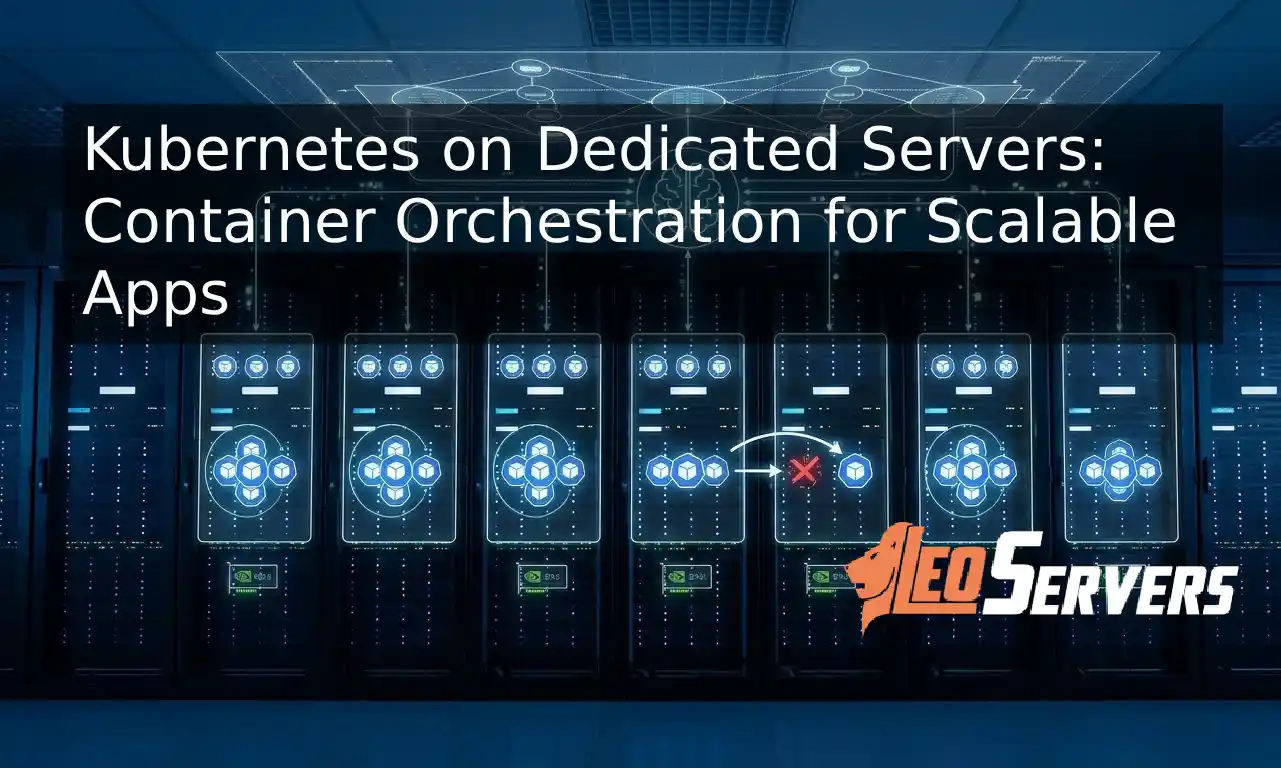
Kubernetes on Dedicated Servers: Container Orchestration for Scalable Apps
Discover why running Kubernetes on dedicated bare metal servers offers the ultimate container orchestration for scalable apps without cloud virtualization overhead.

AIOps: The Future of AI-Powered Server Management
Discover how AIOps is reinventing server management with predictive maintenance, automated optimization, and self-healing infrastructure. Learn more at Leo Servers.

Top 5 Locations For Dedicated Server Hosting in 2026
Choosing the right dedicated server location is critical for speed and compliance. Explore the top 5 global hosting locations for 2026, including the USA, Germany, and Singapore.
![5 Top Dedicated GPU Server Providers [2026]](/assets/images/blog/top-5-gpuproviders.webp)
5 Top Dedicated GPU Server Providers [2026]
A dedicated GPU server delivers consistent, predictable performance for AI and rendering. We examine leading providers including Leo Servers, OVHcloud, and Hetzner.

Why a Dedicated Server in Mumbai is the Key to High-Performance & Low Latency Hosting
Migrating to a Dedicated Server in Mumbai offers the robust backbone required for modern applications. Discover why local infrastructure is the key to conquering latency.

15 Best Games with Bare Metal Dedicated Servers: The Pro-Gamer’s Choice for 2026
True performance enthusiasts know that Bare Metal Dedicated Servers are the only way to achieve zero-latency. Explore the top 15 titles demanding dedicated hardware in 2026.

Is the GeForce RTX 5090 Good for Gaming? User Reviews 2026
Thinking about upgrading your rig or server infrastructure in 2026? The NVIDIA GeForce RTX 5090 has officially cemented itself as the titan of the Blackwell generation.

5 Best GPU Server Providers for AI Training in 2026
Discover why Russia Dedicated Servers are the low-latency solution for conquering the CIS market.

Why Russia Dedicated Servers Are Your Secret Weapon for CIS & Asian Markets
Discover why Russia Dedicated Servers are the low-latency solution for conquering the CIS market.

Why Your Business Needs a Dedicated Server in Brazil
Localized Hosting for Global Reach: Conquer the Latin American Market

Why France is the Ultimate Destination for Dedicated Servers
Lightning-Fast, Secure, and Scalable Dedicated Servers for Global Business. Key Advantages for Businesses Worldwide.

Why a Japan Dedicated Server is Your Business's Next Strategic Move
Discover the key advantages of a Japan dedicated server. From low-latency access to the entire Asia-Pacific market to high-performance GPU capabilities, see why Japan is the strategic choice for your infrastructure.

Blog Post Title: The APAC Advantage: Why Your Next Australia Dedicated Server Should Be with Leo Servers
Discover the strategic advantages of Australia dedicated servers for APAC markets. Lightning-fast latency, robust security, and enterprise-grade infrastructure with Leo Servers.
Boost Website Speed & Fix Memory Errors: How to Increase PHP Memory Limit in WHM
Fix 'Allowed memory size exhausted' errors and speed up your websites on Leo Servers by increasing the PHP memory limit in WHM. Learn step-by-step with expert tips.
1